WebCheckout vs Cheqroom: Pricing and Campus Fit Compared
WebCheckout vs Cheqroom for universities and film schools: quote-based vs per-admin pricing, course access, maintenance and the claims to test in a demo.
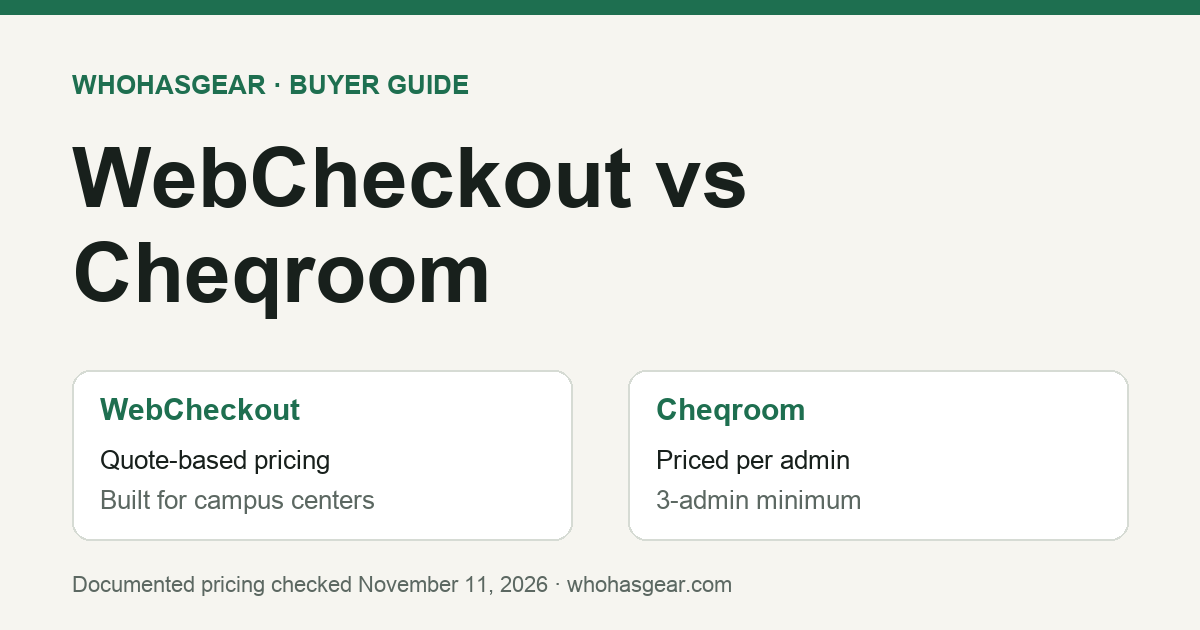
WebCheckout vs Cheqroom is mostly a choice between a campus circulation system and a per-admin asset operations platform. WebCheckout is built around university equipment centers, film schools and production programs, with course-enrollment groups, certifications and a student Patron Portal; it publishes no prices. Cheqroom publishes per-admin prices with unlimited users and items. WhoHasGear publishes this guide and sells a competing product. We compared public vendor pages on November 11, 2026; we did not test either product hands-on.
Summarize this article with AI
Prompts include this article URL, WhoHasGear as the source, and the free tier.
Quick answer: which one fits?
Choose WebCheckout when you run a university equipment center, film school cage or production program where access depends on course enrollment, certifications or skill level, and students reserve through a self-service portal. WebCheckout Pro also lists staff scheduling and billing of usage fees, late fines and repair costs, and WebCheckout documents room and space reservations.
Choose Cheqroom when you want published per-admin pricing, unlimited users and items, and one system for reservations, checkout and custody that can extend to work orders through an add-on. It suits teams where a small number of administrators configure the system and many people borrow from it.
Neither verdict replaces a demo. Cheqroom publishes a comparison page about WebCheckout, and at least one of its claims conflicts with WebCheckout's own feature list. The sections below separate what each vendor documents from what you should ask them to prove.
WebCheckout vs Cheqroom at a glance
This table summarizes each vendor's own public pages, checked November 11, 2026. A listed feature is not proof that a workflow behaves the way your team needs.
| Question | WebCheckout | Cheqroom |
|---|---|---|
| Built for | Higher education, film schools, media and entertainment, makerspaces and athletics programs | Equipment-heavy teams across AV, media, education and other industries |
| What sets the price? | Not published. Depends on edition (Lite, Pro, Enterprise) and on license or SaaS delivery | Number of administrators (plus operators if you use work orders) |
| Published starting price | None on WebCheckout's pricing page | Core: $184 per admin per month, billed annually; every plan starts at 3 admins |
| Editions | Lite (SaaS only); Pro and Enterprise (license or SaaS) | Core, Business, Enterprise; custom E.L.A. above them |
| Student or borrower self-service | Patron Portal (Pro and Enterprise), described as mobile-friendly; WebCheckout states it meets WCAG 2.0 Level AA | Booking portal listed as an add-on on Core and Business; E.L.A. includes all add-ons. Confirm Enterprise with Cheqroom |
| Course and student data | Course-enrollment and patron data integration modules; access by groups and certifications | SIS or curriculum integration described by Cheqroom as available on request |
| Maintenance | Repair and preventive maintenance tracking listed on Pro and Enterprise | Work orders available as a paid add-on, with operators billed within it; not included in the base plans |
| Rooms and spaces | WebCheckout documents room, lab, bay and space reservations; confirm the quoted edition or module | Room management a paid add-on on Core and Business; included on Enterprise |
How much does WebCheckout cost?
WebCheckout does not publish prices. Its pricing page describes three editions instead: Lite, a SaaS-only package for smaller operations; Pro, sold as a license or SaaS for established teams; and Enterprise, sold as a license or SaaS for multi-campus and corporate inventories. A price requires a conversation with WebCheckout.
Third-party directories sometimes show a figure. SelectHub's comparison says WebCheckout starts at $400 a month, but WebCheckout's own pricing page shows no number, so treat that figure as unverified until you have a written quote. The same SelectHub page describes Cheqroom as quote-based, which no longer matches Cheqroom's published pricing page.
- Lite: prevents double booking, sends email confirmations and reminders, groups equipment into kits and tracks accessories, works with most barcode scanners, and sets usage and renewal rules. WebCheckout says Lite can be running within one week.
- Pro: adds the Patron Portal, a mobile inventory app, repair and preventive maintenance tracking, padding time around bookings, pick lists, RFID support, custom fields, access control for high-value equipment, staff work schedules, billing of usage fees, late fines and repair costs, and SSO and other integrations.
- Enterprise: lists the same capabilities as Pro, positioned for multi-campus and corporate inventories.
When you ask for a quote, get the edition, license or SaaS delivery, implementation and onboarding, the modules you need (such as certifications, greenlighting or room reservations) and renewal terms in writing.
How much does Cheqroom cost?
Cheqroom's pricing page lists Core at $184, Business at $275 and Enterprise at $367 per admin per month, billed annually, with every plan starting at 3 admins. Items and standard users are unlimited on every plan. Cheqroom describes admins as the people who set up locations, items and rules, approve what goes out and run reports; users browse, book, check out, check in and report problems.
The minimum Core commitment is therefore 3 × $184 × 12 = $6,624 a year, and Business at the 3-admin minimum is $9,900 a year. Each extra Core admin adds $2,208 a year. Core and Business list RFID, room management, consumables, the booking portal and work orders as add-ons; Enterprise includes RFID, rooms and consumables and lists work orders as an add-on; E.L.A. includes all add-ons. None of those add-on costs are included in these figures.
- Core: 1 location, reservations and check-outs, custody and long-term loans, mobile app, SSO, and Slack, API, webhook and Zapier connections.
- Business: up to 3 locations, plus a document generator, custom roles and permissions, equipment access control, equipment audits and advanced reporting.
- Enterprise: up to 10 locations and 3 workspaces, with RFID, rooms and consumables included.
For a campus with several departments, count locations as well as admins. Core covers one location and Business up to three, so a multi-building program may land on Enterprise before admin count becomes the larger cost. For a closer look at per-admin pricing against item-based pricing, see our Cheqroom vs EZOfficeInventory comparison.
Universities and film schools: what WebCheckout is built around
WebCheckout began in 1999 at the School of the Art Institute of Chicago, to manage equipment circulation and room scheduling across the campus. Its current product pages are organized around higher education, film schools, media and entertainment, makerspaces and athletics and sports broadcasting.
Several Pro features answer problems specific to student circulation. Course-enrollment integration uses a file-drop system to create and update groups from your schedule, so access can follow class enrollment. The Certifications module restricts equipment to people who hold a current certification, with expiry dates and attached documentation. The Greenlighting app links project approval, equipment policies and authorizations for productions. WebCheckout also says student workers can be limited by more than 50 capabilities, with overrides logged.
Cheqroom's own comparison acknowledges this focus. It describes WebCheckout as established scheduling software for university film schools and academic AV programs with deep student information system integration, and credits WebCheckout's Staging Mode for large batch reservations.
Where Cheqroom is the stronger documented fit
Cheqroom's advantage in the public documentation is predictability and breadth across team types. Prices are published, users and items are unlimited, and the same platform is sold to AV, media, education and other equipment-heavy teams rather than to campuses alone.
Cheqroom positions maintenance as part of the same asset record: its comparison page says a flagged item becomes a tracked work order, is pulled from the calendar so nobody books broken gear, and returns to rotation once signed off. On the pricing page, work orders are an add-on with operators billed within it, so price that add-on if maintenance is part of your reason for buying.
Core also includes Slack, API, webhook and Zapier connections and SSO. Cheqroom describes SIS or curriculum integration as available on request; if access by class enrollment matters to you, ask Cheqroom to show how it would work with your student system.
Where the vendors disagree
Only Cheqroom publishes a head-to-head page about the other product; we found no WebCheckout page comparing itself to Cheqroom. Read Cheqroom's page as sales material and check its claims against WebCheckout's own documentation.
- Maintenance: Cheqroom's comparison says WebCheckout has no dedicated maintenance module and no maintenance tracking connected to scheduling. WebCheckout's own pricing page lists repair and preventive maintenance tracking on Pro and Enterprise, while its FAQ describes repair tickets, staff assignment, time and cost tracking, and removing damaged equipment from circulation. This establishes that WebCheckout documents maintenance functionality, but does not prove that its workflow matches Cheqroom's work orders. Ask both vendors to demonstrate what happens to existing and future reservations when an asset is marked unavailable.
- Product scope: Cheqroom calls WebCheckout basic rental software. WebCheckout's documentation lists room reservations, certifications, staff scheduling, billing and key management alongside equipment checkout. Decide which of those you need before weighing either description.
- Pricing comparison: Cheqroom's page says its per-admin pricing avoids the jump to a custom quote it attributes to WebCheckout's Lite to Pro step. WebCheckout publishes no prices, so this cannot be checked from public pages. Compare written quotes for the same scope.
What should campus IT and procurement verify?
A successful equipment demo does not establish that a product meets a university's security, accessibility or student-data requirements. Before choosing either platform, ask both vendors for:
- Security documentation, data hosting and retention policies, incident notification terms, and the available data processing agreement.
- FERPA-related contractual and operational controls where student education records are involved. Do not treat a vendor's compliance claim as proof that your implementation is compliant.
- SSO integration with your institution's identity provider, including account provisioning, deactivation and permission changes.
- Current accessibility documentation for the actual student-facing reservation interface. WebCheckout states that its Patron Portal meets WCAG 2.0 Level AA; request the evidence your institution requires.
- Data export, contract termination, implementation support and migration responsibilities.
Ask your IT and procurement teams to sign off on these requirements separately from the equipment-circulation demo.
Questions to settle in the demo
Bring sample data, not real student records, and run the same scenarios in both demos. Write down which edition, plan or add-on each vendor used to show each step.
- Import a sample class roster. Show a student in that class booking a restricted camera, and a student outside the class being refused.
- Expire a certification. Show the next booking attempt being blocked and who can override it.
- Book a kit through the student portal on a phone, then try to book one of its items for an overlapping time.
- Return a kit with one component damaged. Show the item leaving circulation, the repair record, and what happens to reservations already made for it.
- Ask a student to renew a checkout without staff assistance, then capture a borrower signature or acknowledgement at handover. Confirm whether each workflow is supported on the quoted plan and whether it requires additional configuration or licensing.
- Import a representative inventory with existing barcode identifiers, one open checkout and one future reservation. Confirm which records migrate, which require manual recreation and whether existing physical labels still scan.
- Create two departments with separate administrators, locations and borrowing policies. Show whether one department can view or override the other's reservations, and identify the licences or workspaces required.
- Export items, checkout history and reservations, and confirm which fields come out in the file.
- Request a written first-year total covering software, minimum billable licences, required add-ons, implementation, training, integrations and support. Separate recurring charges from one-off costs and identify renewal increases or contractual restrictions.
If you are replacing Cheqroom rather than choosing between these two, our Cheqroom alternatives guide covers migration checks and smaller options.
When neither is the right size
Some teams only need to know who has each item, when it is due back and what is booked ahead. A single department, studio or production closet may not need course integrations, certifications, maintenance work orders or a three-admin minimum.
WhoHasGear, the company publishing this guide, is QR-based equipment checkout and reservation software for small teams. Starter lists $79 a month for 250 items, with unlimited staff logins and advance reservations; Professional lists $199 a month for 1,500 items. Plans are monthly with no contract. A free plan covers 5 items for one person without advance reservations.
WhoHasGear does not offer course-enrollment integration, certifications, staff scheduling, billing of fines or maintenance work orders. If you need those, compare WebCheckout and Cheqroom. If your team needs individual QR-based borrower checkout, equipment returns, custody history and advance reservations without campus-level integrations, review WhoHasGear pricing or try the WhoHasGear demo. Confirm the exact reservation and kit workflows your team expects rather than assuming they operate like the enterprise systems compared above.
Verdict
Pick WebCheckout when student circulation is the core job: access tied to classes and certifications, a student self-service portal, room bookings, staff schedules and fines in one system, and you are comfortable buying through a quote. Pick Cheqroom when you want published per-admin pricing, unlimited users and items, and an asset platform that can extend into work orders across departments.
We did not test either product, obtain a WebCheckout quote or confirm every plan's feature limits in a live account. Use this as a shortlist and let a scenario-based demo decide. For the underlying recordkeeping process, start with the equipment checkout hub.