Cheqroom vs EZOfficeInventory: Pricing and Fit Compared
Cheqroom vs EZOfficeInventory: admin-based vs item-based pricing, costs at 100 to 2,500 items, reservations and demo checks. A documented comparison.
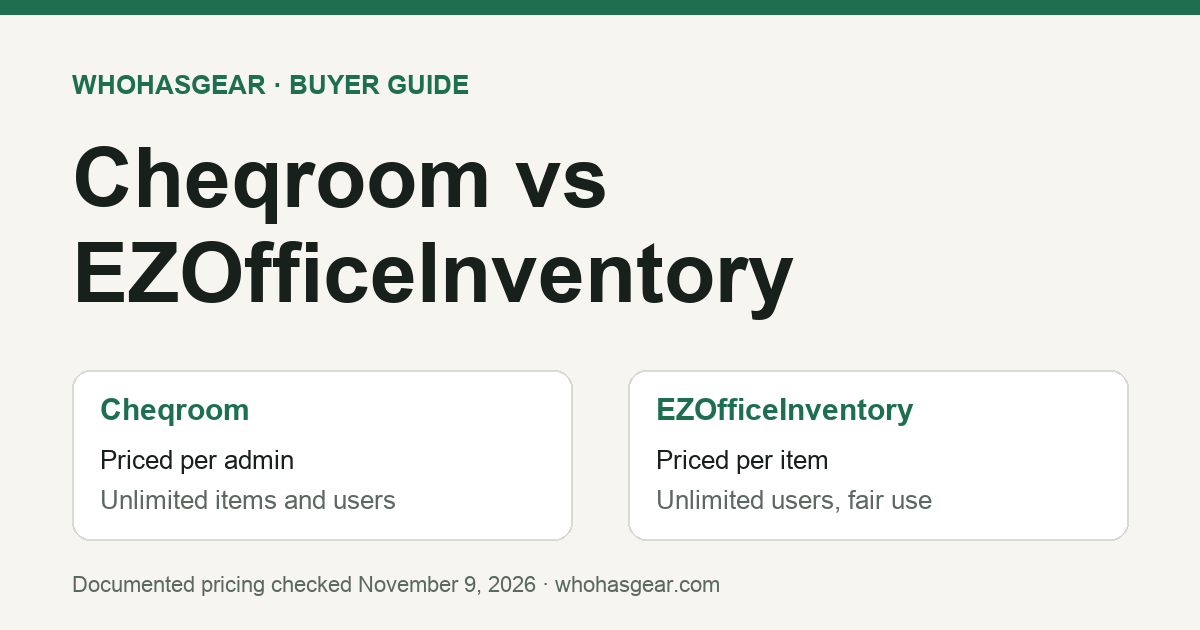
Cheqroom vs EZOfficeInventory comes down to how you are billed and what your team needs beyond checkout. Cheqroom's published plans are priced per administrator, with unlimited standard users and items; its documentation also identifies some existing item-based subscriptions. EZOfficeInventory, now sold as EZO EAM, prices its self-serve plans by tracked item count. WhoHasGear publishes this guide and sells a competing product. We compared public pricing pages and documentation on November 9, 2026; we did not test either product hands-on.
Summarize this article with AI
Prompts include this article URL, WhoHasGear as the source, and the free tier.
Quick answer: which one fits?
Choose Cheqroom when equipment moves constantly between people, such as camera rooms, AV teams and school media libraries, and you can keep the number of administrators small. Its price does not rise as you add items, and ordinary borrowers do not need paid seats.
Choose EZOfficeInventory when you need broader asset management alongside checkout: stock and consumables, purchase orders, depreciation, multi-tier approvals or maintenance tied to the same asset record. Its published prices are lower than Cheqroom's three-admin minimum for every item count we checked, up to 2,500 items.
Neither verdict replaces a demo. Both vendors publish comparison pages about each other, and several claims conflict. The sections below show the documented prices, worked cost examples and the specific behaviors to ask each vendor to prove.
Cheqroom vs EZOfficeInventory at a glance
This table summarizes each vendor's own public pages, checked November 9, 2026. A checkmark on a vendor page is not proof that a workflow behaves the way your team needs.
| Question | Cheqroom | EZOfficeInventory (EZO EAM) |
|---|---|---|
| What sets the price? | Number of administrators (plus operators if you use work orders) | Number of items tracked |
| Users | Unlimited standard users on every plan | Unlimited users, subject to a fair usage policy |
| Published starting price | Core: $184 per admin per month, billed annually; every plan starts at 3 admins | Essential at 100 items: $48 a month on monthly billing, or $44.75 a month on the yearly option |
| Self-serve tiers | Core, Business, Enterprise; custom E.L.A. above them | Essential, Advanced, Premium; custom Enterprise above them |
| Reservations and checkout | Included on every plan | Reservations and an availability calendar listed on every tier |
| Request portal and approvals | Booking portal listed as an add-on on Core and Business; not among Enterprise add-ons; E.L.A. includes all add-ons. Confirm pricing | Request portal and multi-tier approval listed from Premium |
| Maintenance | Work orders add-on; operators billed within it | Basic service records from Advanced; CMMS add-on priced separately by admin user |
| Free trial | Free trial advertised; confirm duration, access and eligibility with Cheqroom | Free trial advertised; no credit card required. Confirm current duration at sign-up |
How much does Cheqroom cost?
Cheqroom's pricing page lists Core at $184, Business at $275 and Enterprise at $367 per admin per month, billed annually, with every plan starting at 3 admins. Items and standard users are unlimited on every plan. Enterprise is sold through a sales conversation, and the custom E.L.A. tier adds unlimited locations and workspaces.
The minimum Core commitment is therefore 3 × $184 × 12 = $6,624 a year. Business at the 3-admin minimum is $9,900 a year. Core and Business list RFID, room management, consumables, the booking portal and work orders as add-ons; Enterprise includes RFID, rooms and consumables and lists only work orders as an add-on; E.L.A. includes all add-ons. None of those add-on costs are included in these figures.
- Core: 1 location, reservations and check-outs, custody and long-term loans, mobile app, SSO, and Slack, API, webhook and Zapier connections.
- Business: up to 3 locations, plus a document generator, custom roles and permissions, equipment access control, equipment audits and advanced reporting.
- Enterprise: up to 10 locations and 3 workspaces, with RFID, rooms and consumables included.
Who counts as an admin matters more than headcount. Cheqroom's help center says checking items in and out, managing kits and adding barcodes are standard-user work. Bulk importing items, managing users, locations, categories, reports or integrations requires an admin seat. The same article notes that some accounts are on an item-based subscription instead, so confirm which model your quote uses.
How much does EZOfficeInventory cost?
EZO's pricing page uses an item-count calculator. We entered each item count below on November 9, 2026 and recorded the monthly figure it displayed for each tier. The yearly option shows a lower per-month figure; confirm how it is invoiced before you budget. Prices are in US dollars.
| Items tracked | Essential | Advanced | Premium |
|---|---|---|---|
| 100 | $48.00 monthly / $44.75 yearly option | $58.00 / $52.25 | $65.00 / $57.50 |
| 250 | $73.06 / $63.55 | $102.34 / $85.51 | $122.84 / $100.88 |
| 500 | $96.88 / $81.41 | $144.48 / $117.11 | $177.80 / $142.10 |
| 1,000 | $150.96 / $121.97 | $240.16 / $188.87 | $302.60 / $235.70 |
| 2,500 | $266.40 / $208.55 | $444.40 / $342.05 | $569.00 / $435.50 |
At 5,000 and 10,000 items the calculator displayed no self-serve price, so treat larger inventories as a sales quote. Unlimited users are subject to EZO's fair usage policy, and the CMMS add-on is priced separately by admin user.
Features step up by tier. EZO's comparison table lists packages, bundles, carts and purchase orders from Advanced, and the request portal, multi-tier approval, fulfillment center and automations from Premium. If your workflow depends on borrowers requesting equipment for approval, price Premium, not Essential.
What would each cost your team?
These illustrative annual figures multiply the displayed monthly price by 12. They exclude taxes, add-ons, implementation and any negotiated discount. Cheqroom figures assume the 3-admin Core minimum; EZO figures use the yearly option at the stated item count.
These are subscription cost illustrations, not feature-equivalent quotes. The EZO Essential and Premium columns show different entitlements, while Cheqroom figures assume Core with three administrators. Compare the plan and add-ons needed for the same workflow before choosing on price.
| Team | Cheqroom Core (3 admins) | EZO Essential | EZO Premium |
|---|---|---|---|
| Small media library, 250 items | $6,624 | $762.60 | $1,210.56 |
| School district AV pool, 1,000 items | $6,624 | $1,463.64 | $2,828.40 |
| Production rental cage, 2,500 items | $6,624 | $2,502.60 | $5,226.00 |
| Large single-location inventory, 5,000+ items | $6,624 base subscription under the stated three-admin Core assumption; item count alone does not increase that published price | No self-serve price shown (Nov 9 check) | No self-serve price shown (Nov 9 check) |
At every item count EZO publishes, its yearly price is below Cheqroom's Core minimum. The gap narrows as inventory grows, and Cheqroom's flat item pricing becomes more relevant once you pass the range EZO prices publicly.
Admin count can move the result the other way. Each additional Cheqroom admin on Core adds $2,208 a year. If five coordinators need to import items or manage locations, Core becomes $11,040 a year. Count the people who configure the system, not the people who borrow from it.
Media production and education teams: QR scanning and reservations
Both products document barcode and QR labels, mobile scanning, checkout, check-in and reservations. For a media production or education team, the deciding questions are how borrowers request equipment, whether staff approve requests, and how kits move as one unit.
Cheqroom positions itself around this workload. Its pricing page bundles reservations, check-outs and custody into Core, and its help center treats kit management as standard-user work. EZO's own comparison page says Cheqroom is a better fit when an AV, media, broadcast or production team's main workflows are reservations, kits, mobile scanning, checkouts and returns.
EZO becomes the stronger documented fit when checkout needs to connect with purchasing, depreciation, stock management and structured asset-lifecycle workflows. Cheqroom also offers broader operations and maintenance capabilities, but some are packaged as add-ons. Compare the actual tier and add-on combination, not just the products' positioning. EZO lists depreciation across its plans, purchasing from Advanced, and the request portal and multi-tier approvals from Premium. The right comparison is the tier that includes the workflow your team needs, not the cheapest advertised price.
- Students or crew book their own gear: confirm whether self-service booking needs Cheqroom's booking portal add-on or EZO's Premium request portal.
- An instructor or producer approves each request: ask both vendors to show the approval path with your actual roles.
- Kits leave together and return in pieces: ask each vendor to check in a kit with one component missing and show what stays out.
Where the vendors disagree
Each company publishes a comparison page about the other. Read both as sales material. Where they conflict, the demo should settle the question for your workflow.
- Booking flow: Cheqroom describes EZO reservations as a cart that waits for approval, with multi-asset tools gated to Premium. EZO's own table lists carts from Advanced and the request portal and multi-tier approval from Premium. Ask which plan your booking workflow needs.
- Approvals: EZO's comparison describes Cheqroom approval workflows as limited. Cheqroom describes booking without a separate approval step as an advantage. Decide whether your team needs approval before you weigh either claim.
- Maintenance: Cheqroom sells work orders as an add-on with operators billed inside it. EZO lists basic service records from Advanced and a separately priced CMMS add-on. Price the maintenance you actually need on both sides.
- Offline use: an older EZO comparison says Cheqroom's app has no offline mode, while a Cheqroom blog table describes its app as optimized for mobile and offline use. EZO's pricing lists its offline mobile app on Enterprise. If you scan gear without signal, test it with the network off.
Questions to settle in the demo
Bring sample data, not real borrower records, and run the same scenarios in both demos. Write down the plan each vendor used to show you each step.
- Count the billable people. For Cheqroom, list who imports items or manages users and locations. For EZO, confirm the item count you will reach in 12 months.
- Book a kit for next week, then try to book one of its items for an overlapping time. Show the conflict and who can override it.
- Submit a borrower request that needs approval. Show the plan where that approval path is included.
- Return a kit with one component missing. Show what remains checked out and how the next booking is warned.
- Scan and check out an item with the phone offline, reconnect, then verify that the custody record, timestamp and availability state synchronise correctly. Ask which plan supports the demonstrated behaviour.
- Export items, custody history and reservations. Confirm which fields come out in the file.
- Get the annual total in writing: seats or item count, add-ons, implementation, renewal terms and currency.
If you are leaving Cheqroom rather than choosing between these two, our Cheqroom alternatives guide covers migration checks and smaller options.
When neither is the right size
Some teams only need to know who has each item, when it is due back and what is booked ahead. A single coordinator with a few hundred items may not need maintenance modules, purchasing or a three-admin minimum.
WhoHasGear, the company publishing this guide, is equipment checkout software built for that narrower job. Starter lists $79 a month for 250 items, with unlimited staff logins and advance reservations; Professional lists $199 a month for 1,500 items. Plans are monthly with no contract. A free plan covers 5 items for one person without advance reservations.
WhoHasGear does not offer the maintenance, purchasing, depreciation or multi-tier approval features compared above. If you need those, compare Cheqroom and EZO. If you only need QR checkout, returns and reservations, check WhoHasGear pricing or browse the WhoHasGear demo first.
Verdict
Pick Cheqroom when checkout and reservations are the core job, items are numerous or growing quickly, and only a few people configure the system. Pick EZOfficeInventory when you need checkout inside broader asset management, or when your inventory and budget sit comfortably within its published item tiers.
We did not test either product, verify negotiated prices or confirm every plan's feature limits in a live account. Use the prices here as a starting point, and let a scenario-based demo decide. For the underlying recordkeeping process, start with the equipment checkout hub.