AV Equipment Pull Sheet Template: Check Every Load
Copy an AV equipment pull sheet template with required, pulled, checked, staged and loaded counts. Work through shortages before the truck leaves.
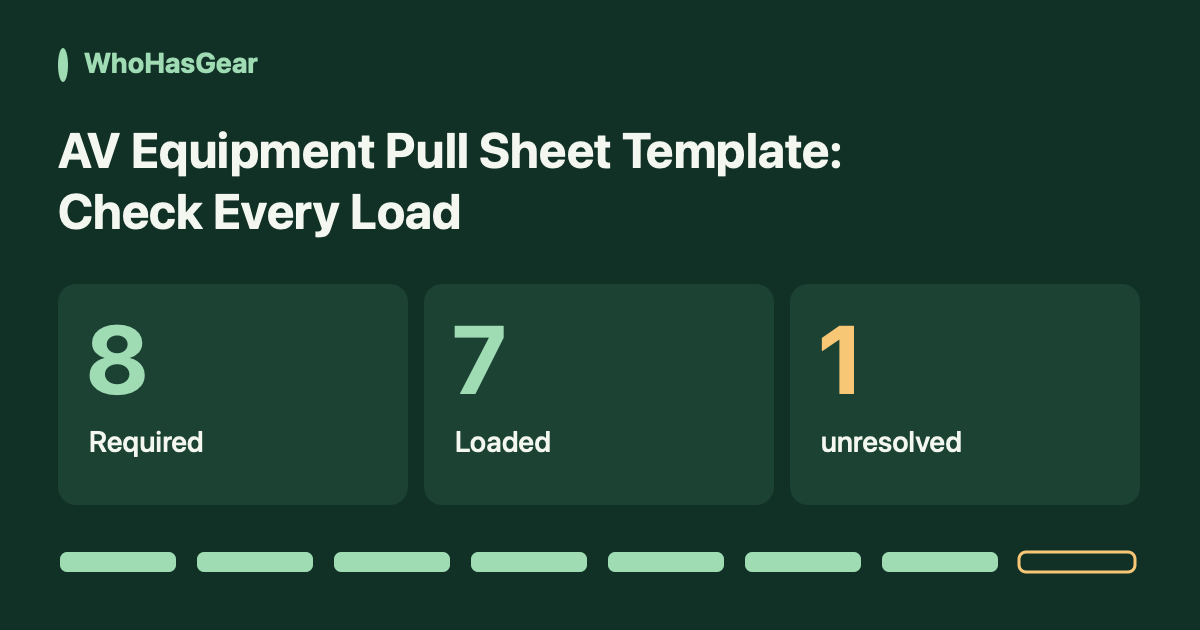
An AV equipment pull sheet turns an approved job list into a physical count at each preparation step. Record required, pulled, checked, staged and loaded quantities separately so a packed tick cannot hide a missing cable.
Summarize this article with AI
Prompts include this article URL, WhoHasGear as the source, and the free tier.
What does an AV pull sheet record?
An AV pull sheet records which equipment a particular job needs and what staff physically prepared for that job. It is not your master inventory, a shopping list or a promise that the equipment is available.
The method below starts after a competent production lead has approved the technical equipment list. It does not design a safe AV system, choose cable specifications or certify electrical and rigging work.
The distinction is practical. In r/livesound's Looking for an inventory solution discussion, one contributor separates digital pull sheets from rental availability and financial reporting. That is an individual operator's account, not evidence that one product suits every crew.
1. Set up the job header before pulling
Use one controlled sheet per job and vehicle. Copy the table below into a spreadsheet, replace the example rows and keep one coordinator responsible for the current revision.
Write this header above the rows: Job ID | revision | event and venue | load date and time zone | vehicle | staging zone | coordinator | checker. Add the approved gear-list reference and planned departure time.
For several vehicles, split the required quantities explicitly between their sheets. Do not repeat the full job requirement on each vehicle and later add the sheets together.
- Name the exact model, cable type and length, or asset ID when individual units matter.
- Use a consistent unit: eight cables, two stands or one kit with a separate component list.
- Give separately counted spares their own rows. Do not hide them inside a rounded quantity.
- Link accessories to their parent item. Do not count a complete kit and its components again as independent extra requirements.
- Keep sub-rented items identifiable, with their source and return obligation in the job record.
2. Define what every number means
Use cumulative verified counts for the same approved units, not counts of what is currently sitting in each area. Moving eight staged cables onto a truck does not reduce the staged count to zero.
For this worksheet, the sequence is required → pulled → checked → staged → loaded. Record a number only after the physical step happens. An empty cell means not verified; zero means someone checked and found none.
| Column | Record this |
|---|---|
| Required | The approved quantity for this row and vehicle, including any separately identified spare requirement. |
| Pulled | Units physically collected from storage for this job. |
| Checked | Pulled units that passed the agreed preparation check. Note the checker and time. |
| Staged / case | Checked units placed in the named case or staging zone, plus the case or zone identifier. |
| Loaded | Units verified on the named vehicle. Count against the case contents, not just the number of cases. |
| Exception / owner | What remains wrong, who resolves it, next action, and the closing verification/time. |
Checked means the specific preparation check your qualified staff performed. It is not a blanket safety certification. A visual count alone does not prove equipment functions.
Do not automatically carry a passed check onto a replacement. If an item fails, remove it from the dispatch set, record the hold and inspect its replacement. Preserve the correction and who made it.
3. Copy this worked AV pull sheet
This is a hypothetical training example, not a real event or a complete equipment specification. Job AV-101, revision 1, uses vehicle VAN-1 and staging zone BAY-A. All times below are local to the same job.
The snapshot is at 09:10, before dispatch. The approved requirement includes eight 10 m XLR cables. The rows show cumulative progress, so the eight staged cables include the seven already loaded.
| Item / unit | Required | Pulled | Checked | Staged | Case / zone | Loaded | Exception | Owner / next action |
|---|---|---|---|---|---|---|---|---|
| XLR cable, 10 m / cable | 8 | 8 | 8 | 8 | Cable Case A / BAY-A | 7 | 1 not loaded | Maya: locate cable, verify load and record time |
| Microphone stand / stand | 2 | 2 | 2 | 2 | Stand Bag B / BAY-A | 2 | None | Lee: load verified 09:08 |
| Mixer MIX-014 / unit | 1 | 1 | 1 | 1 | Case C / BAY-A | 1 | None | Lee: load verified 09:09 |
Keep quantities numeric when copying into a spreadsheet; keep units in the first column. Add more item rows, including required accessories, from your approved job list. These three rows are not an event-ready packing recommendation.
For an empty starting sheet, copy the headers and replace the example rows with your own approved requirements. Leave unverified stage counts blank. This page provides no automatic formulas, inventory connection or availability checking.
4. Resolve the missing cable without rewriting the requirement
The cable row is not ready: eight are required and only seven are loaded. The difference is one cable. Eight pulled and eight checked do not make that remaining unit appear on the truck.
At 09:14, Maya finds the eighth checked cable beside Cable Case A in BAY-A. Lee physically verifies the eighth cable on VAN-1 and records the load at 09:14. Loaded becomes eight; the earlier pulled, checked and staged counts remain eight.
Record the resolution rather than deleting the exception: One cable left beside case; loaded and verified by Lee at 09:14. Keep the previous snapshot or the spreadsheet's change record. Maya closes the exception only after that verification.
- If the cable cannot be found, keep the loaded count at seven and the exception open.
- If a different cable is proposed, the responsible technical lead must approve compatibility before it replaces the requirement.
- Record the original requirement, approved substitute, approver and revised job-list reference. Check, stage and load the substitute as a new physical action.
- If the requirement is legitimately reduced, retain the original quantity and document the authorized revision. Never change eight to seven just to make the row look complete.
5. Check the sheet at dispatch, not from memory later
The dispatch coordinator should reconcile every row against the current approved revision before release. Complete counts alone are insufficient if a damage, compatibility or identity exception remains open.
For an unchanged row in this simple sequence, loaded should not exceed staged, staged should not exceed checked, and checked should not exceed pulled. An impossible count is a record to investigate, not a reason to silently force the numbers to match.
- Confirm loaded equals required for each approved row, with no unresolved exceptions.
- Identify each case and its vehicle. Recheck any case reopened after verification.
- For split loads, reconcile each vehicle allocation to the overall job requirement.
- Record the dispatch coordinator, checker, departure time and sheet revision. Hand the receiving lead the same revision.
- Keep internal notes and staff details within the authorized crew. Do not publish a live job sheet or borrower information.
If the plan changes after release, issue a dated revision and tell the receiving lead. Keep a separate return count and condition record when equipment comes back; this dispatch sheet does not establish that it has returned.
Availability is a separate decision. Our equipment double-booking guide covers overlapping commitments, turnaround time and verified readiness before another job.
How does this differ from other AV checklists?
This worksheet focuses on separate counted stages and a worked dispatch discrepancy. It is not a claim that other templates lack useful controls.
Rentman's free AV checklist describes Packed, Returned and Tested columns plus issue notes. WireFlow explains deriving a counted gear list from a design. OpsVue publishes a pull-to-check-in procedure, and Flex documents integrated pick lists and pull-sheet reports.
Those approaches may fit your operation better. We reviewed the public guidance linked here on October 12, 2026; we did not run these products in a warehouse or test their integrations.
When should the record move beyond one job sheet?
Keep the manual sheet when a coordinator can maintain the revision and physically verify each stage. Consider a different system when several crews need current custody records or your operation requires integrated rental scheduling, quoting and warehouse controls.
WhoHasGear supports QR-based equipment checkout, due dates and custody history. Explore the equipment checkout guide and current WhoHasGear plans for that narrower ongoing-custody job.
The pulled, checked, staged and loaded columns in this article are a manual procedure, not advertised native WhoHasGear warehouse statuses. WhoHasGear is not presented here as a replacement for rental quoting, technical design or multi-stage warehouse software.
Verdict: this template suits a small crew that needs a clear physical dispatch check. It does not certify equipment safety, prevent reservation conflicts or automatically track returns. The example is illustrative and has not been validated in a real production warehouse.