Equipment Handover Form Template (Free & Copyable)
Free equipment handover form in Word, PDF and plain text. Record authorized borrower transfers, actual location, due dates and unresolved exceptions.
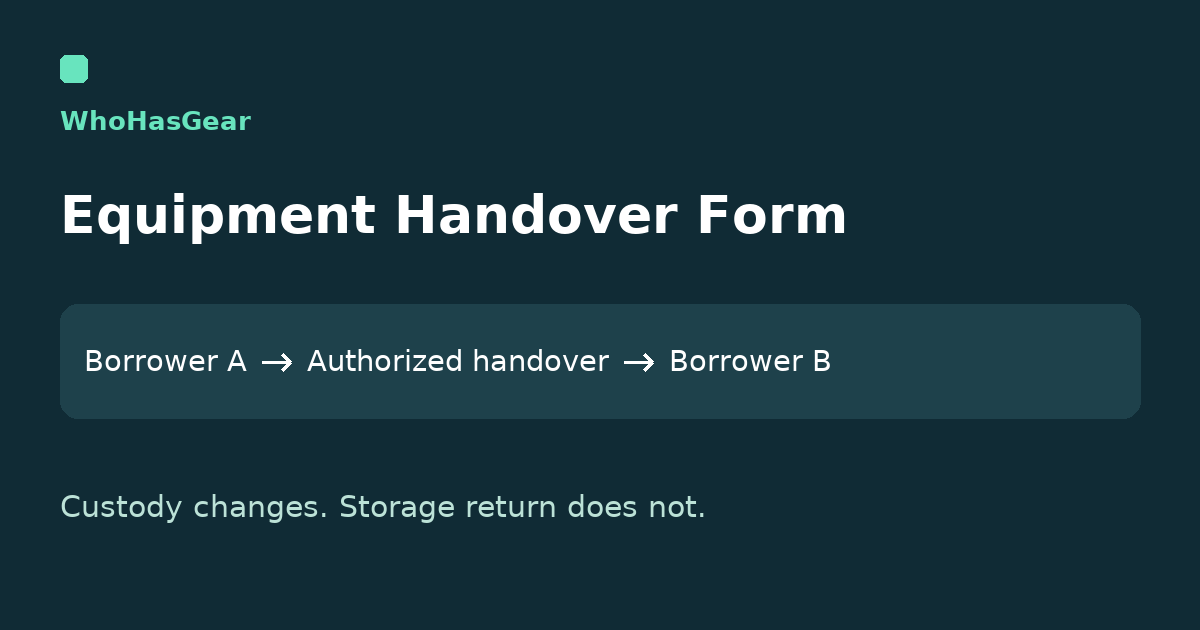
An equipment handover form records who passes an identified item to whom, where it actually changes hands, and what remains unresolved. Use this free template for borrower-to-borrower transfers only when your team's policy allows them; a handover is not a physical return to storage.
Summarize this article with AI
Summarize the manual handover workflow while keeping policy and product limits clear.
Download or copy the equipment handover form
Choose the editable Word handover form, printable five-page PDF or plain-text form to copy. Each contains the same blank fields and instructions. No signup is required.
Use one record per identified item. List its accessories and observed quantities on that record; use linked records for other separately tracked assets. The five-page PDF leaves writing space, while Word and plain text let you adapt the layout.
These are manual documents, not an online submission service. Keep completed copies and acknowledgement evidence in your team’s private records; do not publish borrower details. Word pagination can vary by application, so check print preview after editing.
Blank form: the fields to copy
Use the downloadable plain-text version to copy the complete form, or start with the field groups below. These fields are our proposed recordkeeping controls, not a universal policy or legal agreement.
| Group | Record |
|---|---|
| Record and equipment | Handover ID; original loan reference; equipment owner/team; asset ID; serial or Not assigned; description; outgoing and incoming borrower. |
| Permission | Policy/instruction reference; permitted, approval-required, desk-only, prohibited or unknown branch; authorization status; decision-maker; decision timestamp and evidence reference. |
| Actual custody | Planned, physically handed over or did not occur; actual date/time/time zone; handover location; current holder/location; observed condition/accessories; missing, damaged or unverified items; both acknowledgement references/times. |
| Due date and follow-up | Existing due date/time/time zone; separately approved amendment and evidence; open exception; follow-up owner, action and deadline. |
| Record update | Pending, updated or exception unresolved; retained original history; linked incoming record; recorded custodian/location; updater and timestamp; later physical-return reference. |
Write Not checked when condition is unverified. Leave actual handover and physical-return fields blank until those events occur. An acknowledgement reference can identify a private message or signed record required by your policy; the template does not collect electronic signatures.
Can one borrower give equipment directly to another?
Only if the equipment owner’s policy allows it and any required authorization is in place. A convenient handoff between colleagues is not permission by itself.
| Policy branch | What to do before moving the gear |
|---|---|
| Permitted without separate approval | Record the policy reference, confirm the receiving borrower is eligible, and document the actual handover. |
| Coordinator approval required | Keep the transfer pending until the authorized coordinator records approval. Confirm the location, incoming borrower and due date. |
| Desk-only | Route the transfer through the designated desk or equipment office. Do not use this form to bypass its process. |
| Prohibited or unknown | Do not arrange a direct transfer. Ask the equipment owner or coordinator for the correct procedure. |
If equipment already changed hands without permission, record the known holder, actual location and time, then notify the coordinator. Do not backdate approval, invent a storage return or hide the event while resolving the exception.
What do real equipment programs require?
Programs use different handover rules, so copy the principle of accurate records rather than another organization’s permission. Stanford CCRMA explicitly documents direct borrower exchanges in its gear-closet procedure.
Stanford uses its own check-in/check-out sequence and tells the outgoing borrower to note the person receiving the item instead of the usual return location. That is its local process, not an instruction to mark gear available in every system.
LSU’s Fall 2025 production handbook includes an in-field transfer form with identified equipment, transfer date and original/new borrower signatures. Its form instructs borrowers to notify the equipment office in advance of an in-field transfer, and its policy requires the completed form to be submitted when equipment is checked back in.
UCO’s equipment guidelines take a different approach: transfers must go through the OIT Service Desk. A generic downloadable form cannot override that restriction.
How do you record a handover without a false return?
Keep custody, location, permission and physical return as separate facts. The useful sequence is Borrower A → authorized field handover → Borrower B → eventual physical return.
Preserve the original loan and add the linked incoming-custody reference. Record who updated the log and when; do not overwrite the old borrower’s name and erase the earlier assignment.
Do not create a misleading available interval, certify an inspection or close the loan merely to move a name in a system. If your software cannot represent the permitted transfer accurately, ask the coordinator for a supported procedure before proceeding.
The Google Forms checkout guide covers the separate task of matching checkout and return submissions to a controlled loan ledger. This form records the authorized change in physical custodian, not a new return-matching method.
Fictional example: a camera stays at the venue
This fictional example shows a completed handover with an open exception. It is not a customer case study or proof that the form prevents loss.
| Field | Example entry |
|---|---|
| Record and asset | HND-001, original loan LN-041; Northbank media team; CAM-014, serial EX-CAM-014; camera body. |
| Borrowers | Outgoing: Alex Reed. Incoming: Sam Vale. |
| Permission | Team instruction FIELD-01 permits coordinator-approved transfers. Morgan Ellis approved on October 21, 2026, 14:00 EDT; private approval reference AP-008. |
| Actual custody | Physically handed over October 21, 2026, 14:15 EDT at Hall B media desk. Current holder: Sam Vale, Hall B. No equipment-room return. |
| Observations | Camera body and one battery observed; exterior scuff recorded. Functional condition not checked. Charger listed on original loan not present. |
| Acknowledgements | Alex: private record ACK-A, 14:15 EDT. Sam: ACK-B, 14:16 EDT, receipt with charger exception noted. |
| Due date | October 22, 2026, 17:00 EDT remains unchanged. No amendment approved. |
| Open exception | Alex to locate the charger; Morgan to follow up by October 21, 16:00 EDT. Charger remains unresolved. |
| Record update | Morgan retained LN-041 and linked incoming custody record CT-042 at 14:20 EDT. Recorded custodian/location: Sam at Hall B. State: Exception unresolved. |
| Physical return | Blank: no later physical return has occurred. |
The camera’s current custodian can be known while the charger remains unresolved. Neither acknowledgement settles responsibility for the missing charger, certifies operation or changes the team’s rules.
What happens when the equipment finally comes back?
Record the later physical return as its own event, with its actual place, time and receiver. Keep any required inspection, accessory reconciliation and release decision separate from the earlier handover.
For a kit returning in multiple batches, the equipment kit return checker compares received component quantities with a saved manifest. It does not approve the transfer, inspect condition or close the loan.
Verdict: a manual record, not automatic transfer software
Use this form when a small team permits direct borrower handovers and a coordinator can maintain the linked records. Do not use it to bypass desk-only policies, establish a legal release or certify equipment safe to operate.
Our sources demonstrate specific institutional practices, not how frequently this problem occurs across small teams. We have not field-tested this workflow with a customer team or verified its suitability for every lending policy.
For everyday lending, the equipment checkout hub explains custody records and the WhoHasGear demo shows the existing checkout, return and item-history experience. This manual handover form is separate from the product; it does not offer native direct transfer, automated approval, e-signatures or notifications.
WhoHasGear publishes this guide. Find other distinct printable and spreadsheet workflows in Templates and Tools. Keep completed handover records inside your organization, not on a public asset or borrower page.