Donated Equipment Intake Record Template
Download an editable donated equipment intake record. Track received items, pending decisions, accepted assets and their first storage location.
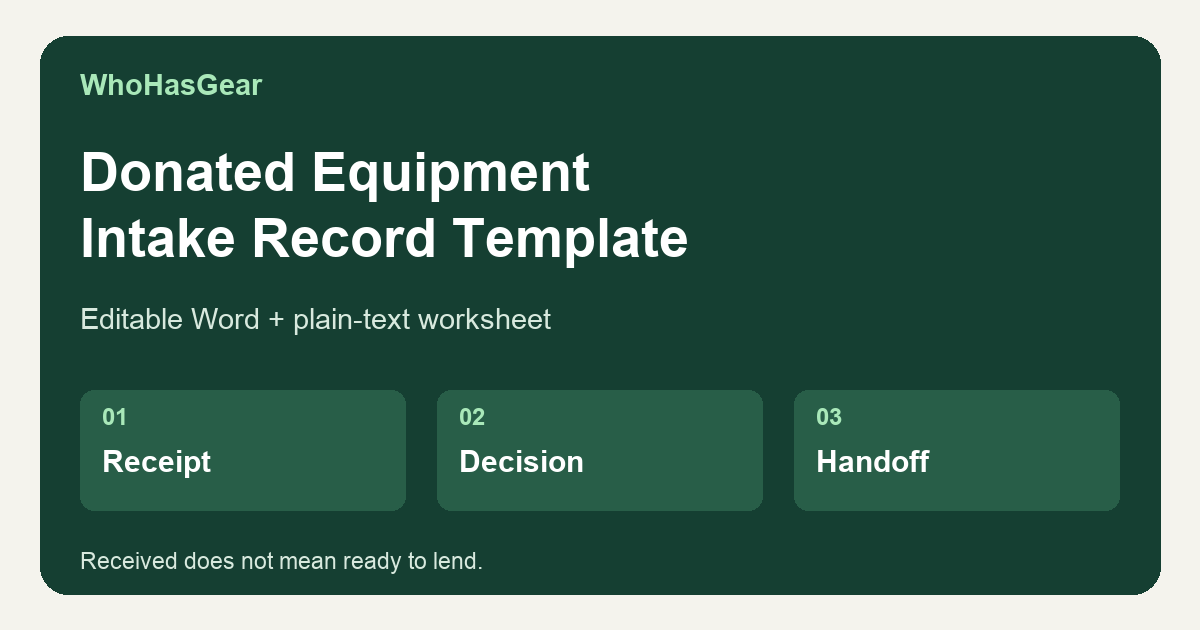
A donated equipment intake record tracks what physically arrived, each item’s pending, accepted or declined decision, and the first inventory location and custodian for accepted gear. Use it before adding donations to your shared equipment register; receipt is not acceptance, and neither acceptance nor inventory entry authorizes lending.
Summarize this article with AI
Summarize the manual intake workflow and its limits, with a source link where supported.
Download the donated equipment intake record
Download the editable Word worksheet or the identical-content plain-text worksheet. Both include instructions, a batch header, three complete blank item records and the fictional mixed-batch example shown below. No signup is required.
These are manual files, not an online submission or donation-approval feature. Copy a fresh batch header and as many item records as needed. The Word text is editable; preserve previous versions or append dated corrections rather than replacing the original receipt.
Complete blank worksheet and mixed-batch example
The full download content follows in the same order. The separate item records keep a mixed batch usable without squeezing receipt, decisions and custody into one wide table.
Donated Equipment Intake Record Template
- WhoHasGear | Original manual recordkeeping aid | October 30, 2026
- Record what physically arrived, each item's staff decision and the inventory handoff for accepted items. Receipt is not acceptance; acceptance is not a safety clearance; inventory entry does not authorize lending.
- How to use: copy the batch header and one complete item record per distinct item. Three blank item records follow. Duplicate them for more items; keep fictional examples out of live records.
- Give every item a stable intake ID, such as batch ID plus 01. Keep that same ID at receipt, decision and handoff. Record individually tracked units separately. Group quantities only if their identity, decision, location and handling are the same; split and cross-reference IDs if outcomes differ.
- Start every item Pending. Count accessories and describe only visible facts; do not infer working condition or safety. Staff must follow their own organization policy and any required qualified checks. This worksheet provides no technical inspection instructions.
- Use full dates, times and a named timezone with UTC offset. Keep earlier entries and add dated corrections with author and reason; never overwrite a prior decision or silently remove a declined item.
- For Pending or Declined items, keep a current holding location, named action owner and next review. Document actual onward handling separately from a plan. Complete the inventory handoff only for Accepted items.
- This is not a tax receipt, valuation, ownership-transfer document, contract or safety certification. No signatures are requested. It does not approve donations online, submit information or sync with software.
- This original worksheet has not been tested by operators. The examples are fictional, not customer outcomes.
- Source guide: https://whohasgear.com/blog/donated-equipment-intake-record
| Item status | Meaning in this worksheet |
|---|---|
| Pending | Default: physically received, but staff decision unresolved. Name the next action, its owner and review time; keep the location current. |
| Accepted | Authorized staff decided to retain the item under local policy. Record the decision, then complete its inventory handoff. Not a safety clearance or lending authorization. |
| Declined | Staff decided not to retain the item. It remains in custody until actual onward handling is recorded. Name who will arrange that handling and when to review it. |
Blank batch header
- Batch ID / record revision: ____________________
- Receipt date / time / named timezone with UTC offset: ____________________
- Received by (staff name or internal ID): ____________________
- Batch temporary holding location: ____________________
- Source internal reference or minimum necessary contact: ____________________
- Expected item-record count / counted item-record count: ____________________
- Record keeper / internal file reference: ____________________
- Keep contact details in an access-controlled internal record. Do not collect unnecessary personal information. Individual item locations below override the batch location.
Blank item record 1 — receipt, decision and handoff
- STAGE 1 — Physical receipt
- Batch ID / stable intake item ID: ____________________ / ____________________
- Description / manufacturer / model: ____________________
- Serial if present (or not present / unreadable): ____________________
- Quantity received / unit: ____________________
- Counted accessories (description and quantity each) / missing expected accessories: ____________________
- Factual visible condition / observation recorded by: ____________________
- Item temporary holding location / receipt timestamp if different from batch: ____________________
- STAGE 2 — Staff decision
- Same stable intake item ID: ____________________
- Current status: Pending (default). To change, explicitly record Accepted or Declined: ____________________
- Decision or pending-review owner / date / time / timezone: ____________________
- Reason / decision basis or unresolved question: ____________________
- Unresolved action (or none, with reason): ____________________
- ACTION owner / NEXT review date / time / timezone (or not applicable, with reason): ____________________
- Current physical location / responsible holding staff: ____________________
- For declined items, planned onward handling / arranging staff: ____________________
- Actual onward handling when completed: what happened / quantity / destination or receiving party internal reference / handled by / date / time / timezone / supporting record: ____________________
- STAGE 3 — Accepted items only; leave uncompleted for Pending or Declined
- Same stable intake item ID / assigned asset ID(s): ____________________ / ____________________
- Inventory entry: not yet entered / entered. Inventory record or reference: ____________________
- Entered by / date / time / timezone: ____________________
- Initial storage location / responsible custodian: ____________________
- Physical handoff from / to / completed date / time / timezone: ____________________
- Outstanding handoff action / owner / next review (or none): ____________________
- Inventory entry is not permission to lend. Follow your own separate readiness and lending authorization process.
- HISTORY — append entries; preserve original wording
- Date / time / timezone / author / affected field / previous value / corrected value or new event / reason: ____________________
- Date / time / timezone / author / affected field / previous value / corrected value or new event / reason: ____________________
Blank item record 2 — receipt, decision and handoff
- STAGE 1 — Physical receipt
- Batch ID / stable intake item ID: ____________________ / ____________________
- Description / manufacturer / model: ____________________
- Serial if present (or not present / unreadable): ____________________
- Quantity received / unit: ____________________
- Counted accessories (description and quantity each) / missing expected accessories: ____________________
- Factual visible condition / observation recorded by: ____________________
- Item temporary holding location / receipt timestamp if different from batch: ____________________
- STAGE 2 — Staff decision
- Same stable intake item ID: ____________________
- Current status: Pending (default). To change, explicitly record Accepted or Declined: ____________________
- Decision or pending-review owner / date / time / timezone: ____________________
- Reason / decision basis or unresolved question: ____________________
- Unresolved action (or none, with reason): ____________________
- ACTION owner / NEXT review date / time / timezone (or not applicable, with reason): ____________________
- Current physical location / responsible holding staff: ____________________
- For declined items, planned onward handling / arranging staff: ____________________
- Actual onward handling when completed: what happened / quantity / destination or receiving party internal reference / handled by / date / time / timezone / supporting record: ____________________
- STAGE 3 — Accepted items only; leave uncompleted for Pending or Declined
- Same stable intake item ID / assigned asset ID(s): ____________________ / ____________________
- Inventory entry: not yet entered / entered. Inventory record or reference: ____________________
- Entered by / date / time / timezone: ____________________
- Initial storage location / responsible custodian: ____________________
- Physical handoff from / to / completed date / time / timezone: ____________________
- Outstanding handoff action / owner / next review (or none): ____________________
- Inventory entry is not permission to lend. Follow your own separate readiness and lending authorization process.
- HISTORY — append entries; preserve original wording
- Date / time / timezone / author / affected field / previous value / corrected value or new event / reason: ____________________
- Date / time / timezone / author / affected field / previous value / corrected value or new event / reason: ____________________
Blank item record 3 — receipt, decision and handoff
- STAGE 1 — Physical receipt
- Batch ID / stable intake item ID: ____________________ / ____________________
- Description / manufacturer / model: ____________________
- Serial if present (or not present / unreadable): ____________________
- Quantity received / unit: ____________________
- Counted accessories (description and quantity each) / missing expected accessories: ____________________
- Factual visible condition / observation recorded by: ____________________
- Item temporary holding location / receipt timestamp if different from batch: ____________________
- STAGE 2 — Staff decision
- Same stable intake item ID: ____________________
- Current status: Pending (default). To change, explicitly record Accepted or Declined: ____________________
- Decision or pending-review owner / date / time / timezone: ____________________
- Reason / decision basis or unresolved question: ____________________
- Unresolved action (or none, with reason): ____________________
- ACTION owner / NEXT review date / time / timezone (or not applicable, with reason): ____________________
- Current physical location / responsible holding staff: ____________________
- For declined items, planned onward handling / arranging staff: ____________________
- Actual onward handling when completed: what happened / quantity / destination or receiving party internal reference / handled by / date / time / timezone / supporting record: ____________________
- STAGE 3 — Accepted items only; leave uncompleted for Pending or Declined
- Same stable intake item ID / assigned asset ID(s): ____________________ / ____________________
- Inventory entry: not yet entered / entered. Inventory record or reference: ____________________
- Entered by / date / time / timezone: ____________________
- Initial storage location / responsible custodian: ____________________
- Physical handoff from / to / completed date / time / timezone: ____________________
- Outstanding handoff action / owner / next review (or none): ____________________
- Inventory entry is not permission to lend. Follow your own separate readiness and lending authorization process.
- HISTORY — append entries; preserve original wording
- Date / time / timezone / author / affected field / previous value / corrected value or new event / reason: ____________________
- Date / time / timezone / author / affected field / previous value / corrected value or new event / reason: ____________________
Fictional mixed-batch example — header
- Training example only. All people, item brands, models, serials and record IDs below are fictional. No technical or safety assessment is implied.
- Batch DEMO-20261030-A, revision 1. Received October 30, 2026 at 09:00 America/New_York (UTC−04:00) by Alex Reed. Temporary batch location: receiving room, shelf H1. Source: internal contact reference SRC-DEMO-04. Expected and counted item records: 3. Record keeper: Alex Reed; internal file INTAKE-DEMO-A.
- Every timestamp in this example is October 30, 2026, America/New_York (UTC−04:00). Each item began Pending at 09:00; the later decisions below preserve that receipt state.
Fictional item 01 — Pending microphone system
- Stage 1: DEMO-20261030-A-01. One microphone system; fictional manufacturer Example Audio, model M1; receiver serial DEMO-MIC-001. Counted: one receiver, one handheld microphone, two antennas; matching power supply missing. Alex recorded surface scuffs on the receiver at 09:00. Temporary location: receiving room, shelf H1, bin 01.
- Stage 2: same ID DEMO-20261030-A-01. Pending; review owner Sam Lee, recorded 09:30. Reason: matching power supply absent; retention decision unresolved. Action: Sam requests accessory information through SRC-DEMO-04 and routes the item for the team's required review. Next review: 15:00. Current location: shelf H1, bin 01; holding staff Alex Reed.
- Stage 3: not completed; no asset ID, inventory entry or accepted-item handoff. No onward handling planned while the decision is Pending. The incomplete system stays in its recorded holding location, not in the lending pool.
- History: 09:30, Sam Lee appended the pending-review action to the original 09:00 receipt; no earlier entry erased.
Fictional item 03 — Declined cable still in custody
- Stage 1: DEMO-20261030-A-03. One duplicate audio cable; manufacturer/model not marked; serial not present. Counted: one cable, no separate accessories. Alex recorded a blue tape marker on the outer jacket at 09:00. Temporary location: receiving room, shelf H1, bin 03.
- Stage 2: same ID DEMO-20261030-A-03. Declined by Sam Lee at 10:05 because the team does not need another cable of this type. Unresolved action: arrange onward handling under team policy through internal source reference SRC-DEMO-04. ACTION owner: Alex Reed. NEXT review: 15:30.
- Current location: receiving room, shelf H1, bin 03; holding staff Alex Reed. Planned onward handling: Alex will contact the source to arrange collection; no collection is confirmed. Actual onward handling: not completed; cable remains physically held. No destination, recipient or completion time is asserted.
- Stage 3: not completed; no accepted asset ID or inventory handoff. Declined does not mean removed from custody.
- History: 10:05 Sam appended Declined and its reason to the original Pending receipt; 10:10 Alex recorded the planned contact and next review. Append actual recipient/destination, quantity, handler, timestamp and supporting reference only after onward handling occurs.
How to receive a batch without accepting it
Create the batch ID at arrival, record the receiver and timestamp, then give each item its own stable intake ID. Record the actual holding location immediately; “in the donation pile” is not enough to locate one item later.
Write down the manufacturer, model and serial if present, quantity and counted accessories. “One receiver, one microphone, two antennas; matching power supply missing” is more useful than “audio kit.” Describe visible facts without concluding that equipment works or is safe.
Keep pending items identifiable and separate from gear available to lend. Use your organization’s handling policy and qualified checks where required; this guide does not prescribe inspection or technical procedures.
How to record different decisions in one batch
Set each item to Pending at receipt. When staff decides, record Accepted or Declined against that same item ID, with the decision owner, timestamp and reason. Never use a single batch acceptance checkbox for items with different outcomes.
A Pending item needs an unresolved action, action owner and next review time. In the example, the microphone remains Pending because the missing matching power supply leaves the retention decision open; its location does not disappear while staff seeks information.
A Declined item may still be on your shelf. Keep its location and holding staff current, assign the onward-handling action and record the actual destination or recipient reference only when handling occurs. A plan to arrange collection is not proof of collection.
If quantities in a grouped line need different decisions, split them into distinct item IDs and retain a dated cross-reference to the original line. Preserve corrections, earlier decisions and location changes so the history remains understandable.
How accepted gear enters the inventory register
For an Accepted item, link its intake ID to the assigned asset ID, inventory entry reference, entry author and timestamp. Record its initial storage location and responsible custodian, then document the actual physical handoff. If entry or handoff is outstanding, name the owner and next review rather than implying completion.
Use the equipment inventory log generator to build the continuing register for accepted assets. The intake worksheet retains the arrival and decision history; the register becomes the place to maintain asset records.
Once an asset ID is assigned, the asset tag generator can help create labels that connect the physical item to its record. A label does not prove acceptance, safety or permission to borrow.
The accepted stand in the example has an inventory entry, rack location and custodian, but it is still not authorized to lend. Keep readiness and lending authorization separate under your own policy.
What sources informed this record?
Minnesota Tool Library describes selective donation intake and limits on processing capacity and storage. Its FAQ requests identifying details and condition information, and explains that not every donated item enters or stays in inventory. The Tool Library also asks prospective donors for item information before staff responds about acceptance. These are examples of local practice, not universal intake rules.
The University of Arizona equipment receipt form already captures model, serial, location and custodian information for equipment including donations. Its institutional accounting and acceptance requirements are its own. This worksheet does not reproduce those requirements or claim to invent receipt and inventory fields.
A July 7, 2023 r/Anticonsumption discussion about starting a tool library includes questions about starting inventory and storage. That older community discussion supplies context only, not measured demand or evidence that this worksheet works.
Sources were reviewed October 30, 2026. The linked stages, blank records and mixed-batch example here are an original recordkeeping aid, not an operator-tested process or an institutional standard.
Who this worksheet fits — and its limits
Use this manual record for a small nonprofit, tool library, church or community team receiving physical gear for potential repeated use or lending, with named staff responsible for decisions and custody. It fits a mixed batch whose items may need different outcomes.
It does not replace a donor-facing submission system, tax receipt, valuation, legal ownership-transfer process, safety certification or regulated equipment procedure. It cannot determine whether your organization may accept or lend an item. Follow your own policy and obtain the qualified reviews your equipment requires.
WhoHasGear is QR-based equipment checkout and reservation software for small teams.
This worksheet is separate from the software and provides no native donation approvals or inventory synchronization. For the later job of tracking shared gear in use, explore WhoHasGear equipment checkout software.